
Create a Nation
On this page
This feature only works in Survival and Earth World, So the first step is to visit that world through the portal located in the spawn area, In this case, we'll visit the World Earth.

Once you’ve found an empty plot of land that isn’t yet part of anyone’s nation, it’s time to create your first nation. (1) Now open the main menu button on inventory, (2) then look for the “Government” button to access the Hub Nation menu.

Follow the steps below to create your first nation: (1) Click the “Create Nation” button located in slot 50 of the Nation Hub menu. (2) Select your form of government. In the current version, there are four types of nations: republic, communist, monarchy, and caliphate. (3) The third step is to enter your nation’s name. After typing the name in the chat input field, submit it by pressing the Enter key.
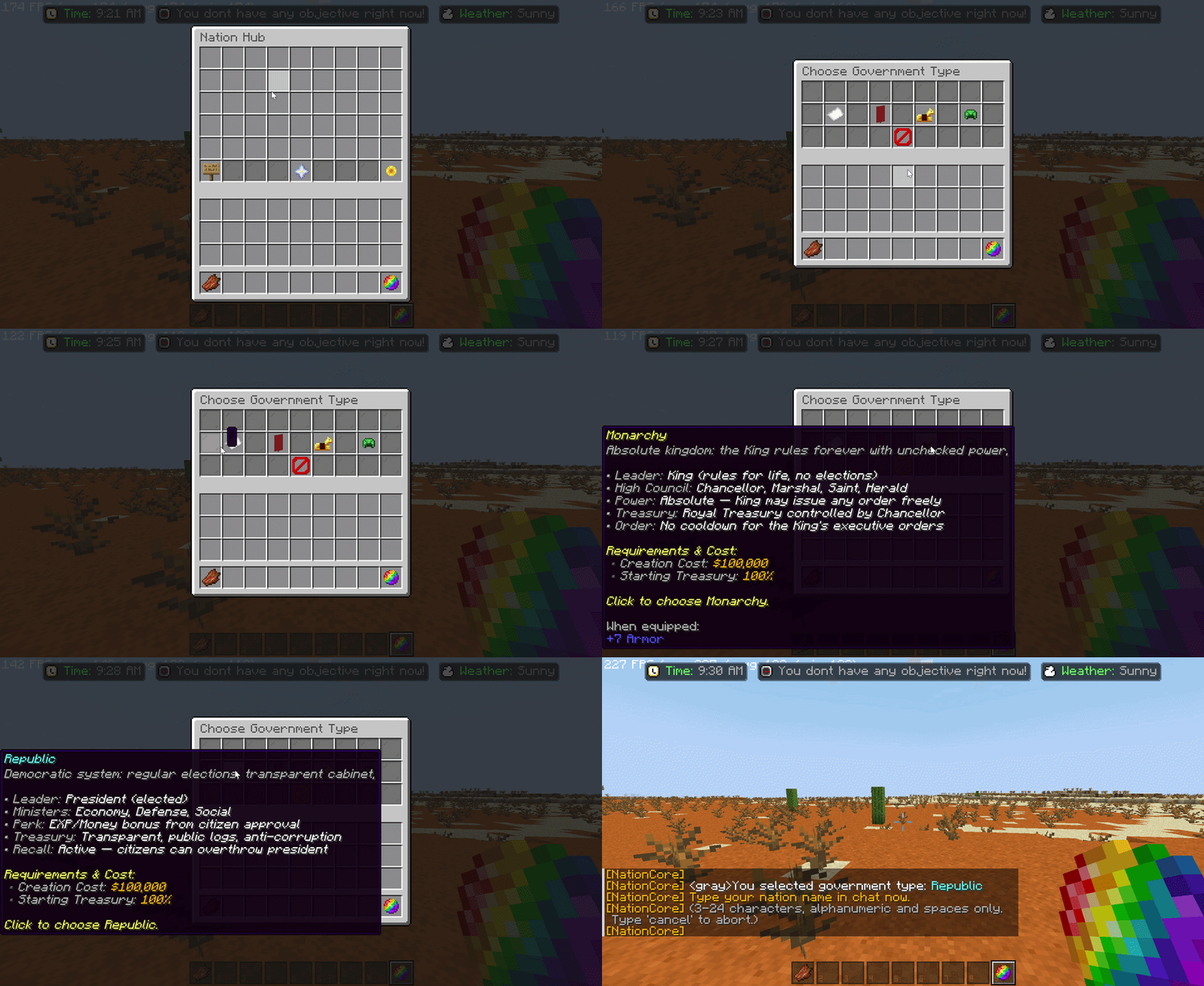
Creating a nation will cost you $100,000, so be careful when choosing the type of nation (because this cannot be changed later).
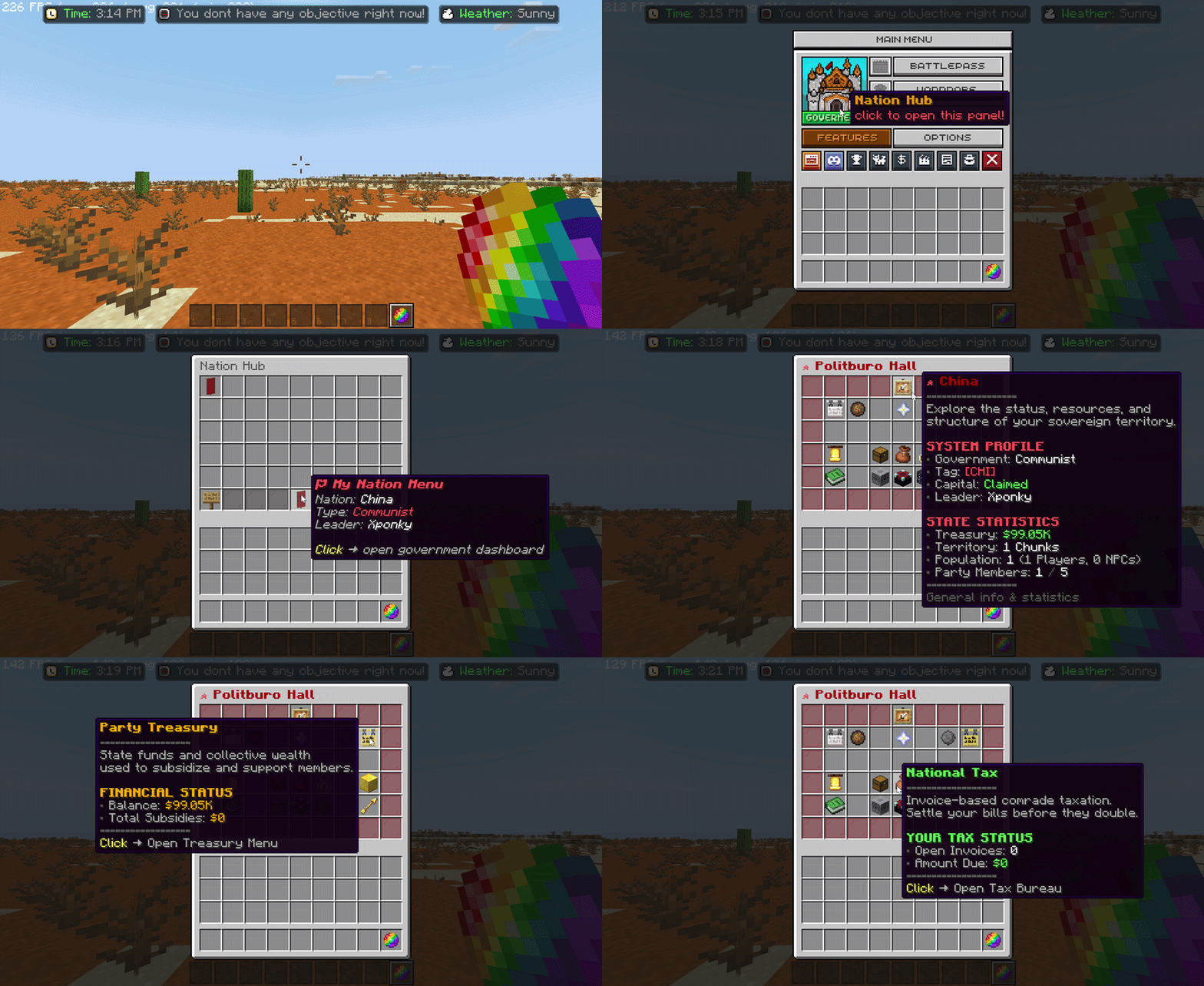
To make sure your nation has been created, follow these steps: (1) Open the main menu. (2) Open the Nation Hub. (3) Open the “My Nation” menu, lihat gif dibawah untuk informasi lebih detail.
The ‘Creation’ button on slot 50 will change to the “My Nation Menu” once you have successfully created a nation.
CONGRATULATIONS! YOU'VE SUCCESSFULLY CREATED YOUR FIRST NATION!